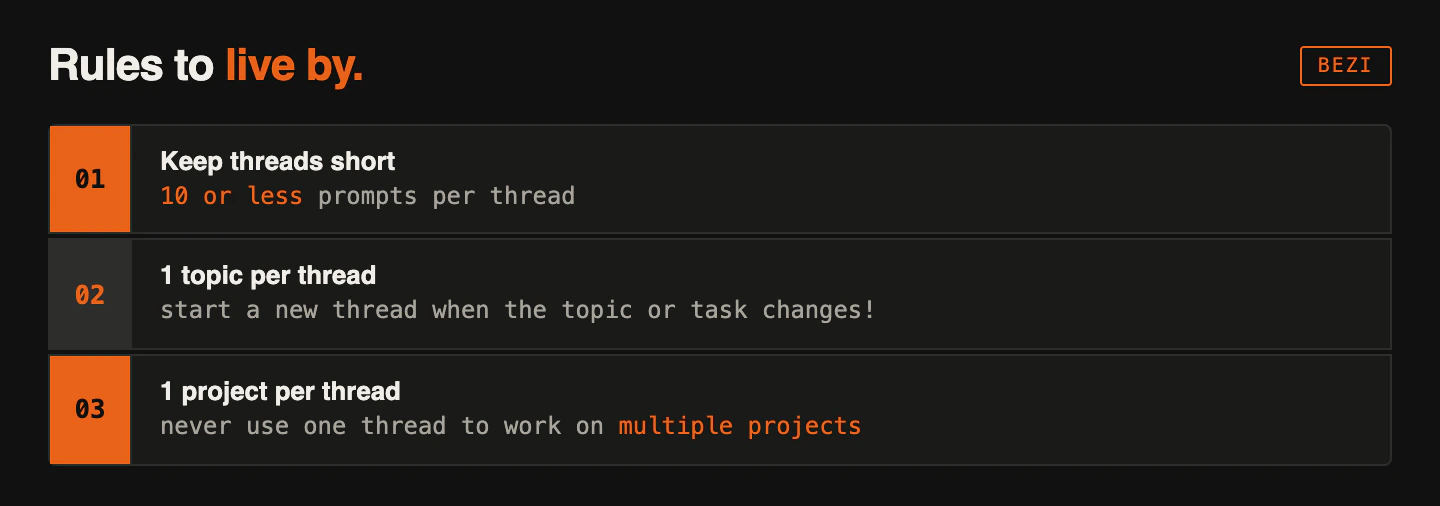
You interact with your Bezi agent via Threads. They belong to a Workspace, write to the target project and pull context from multiple places. Using threads correctly is very important.
How Threads gather and manage context
- Active Thread prompt and response history (it cannot access other thread’s histories)
- Active Workspace Connections; projects and local data sources you’ve connected. Target project context is prioritized.
- Pages, both private and shared
Use the thread’s context window (bottom right of the prompt field) to track how much information it’s referencing.
Lower context windows mean better results and fewer credits per prompt. If the context window is high, disable unnecessary Connections or start a new thread.
How Threads interact with Workspaces
Threads are stored at the Workspace level, not the project level. Threads list shows all thread you’ve created in the Workspace.
If you switch Workspaces, the Threads list will change. You will only see threads that belong to the new Workspace.
How Threads interact with engine projects
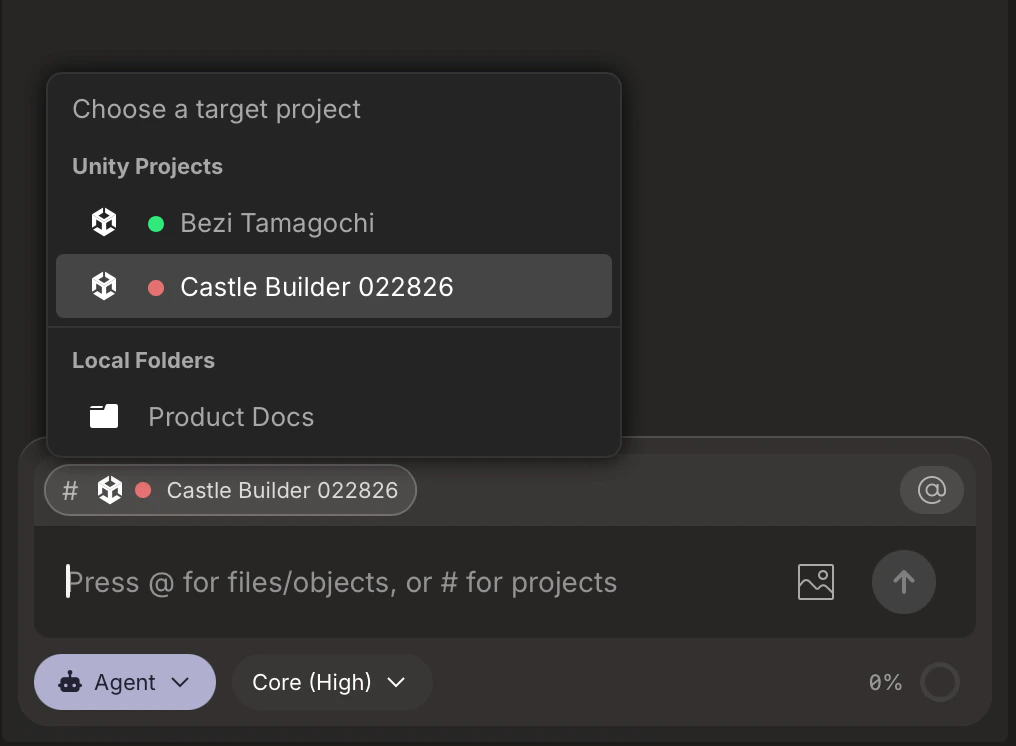
For every new thread, you assign target project. This tells the Bezi agent what to make edits to and use for primary context. Click the Prject selector to select a target project from your Connections.
Do not change a thread’s target project once you’ve prompted in that thread. This leads to unexpected behavior and changes.
Threads navigation
Everything Threads-related lives in the left sidebar. This is where you create new threads, trac multi-thread workflow progress, and view or manage old threads.
If you can’t find a specific thread, confirm that you’re looking in the correct Workspace.